
LMS Training Modules
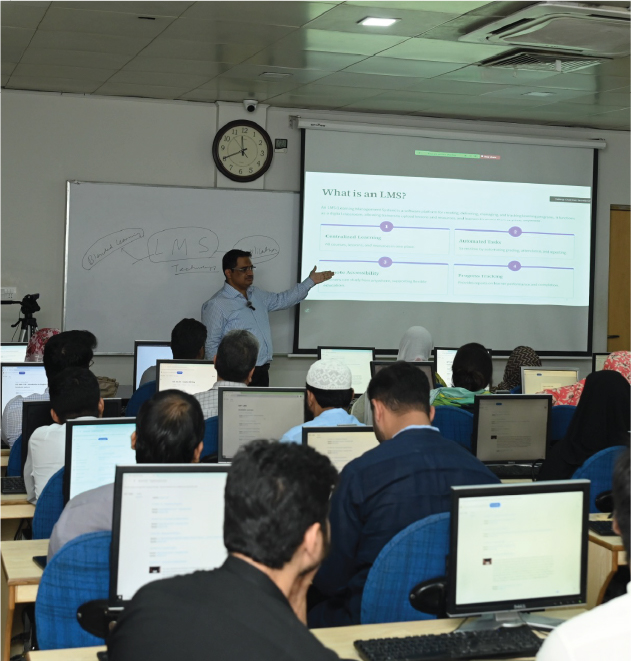
GIFT Universityʼs LMS Training Modules provide essential guidance to students, faculty, and staff for effective use of the Learning Management System. These modules enhance digital skills, support smooth course delivery, and promote efficient online learning and management.
LMS for Students

Orientation
The LMS orientation for students begins with a simple onboarding process where they learn how to log in, reset their passwords, and navigate their personalized dashboards. Students are guided to customize profiles, set notifications, and get comfortable with the overall interface so they feel confident using it from day one.
Once students are familiar with navigation, they are trained to access their course content seamlessly. They learn to download lecture slides, view recorded sessions, and explore multimedia resources uploaded by faculty. A key focus is on utilizing calendars and schedules, ensuring students stay updated with classes and deadlines.
Assignments and Assessments
Assignments and assessments form the backbone of digital learning, and students are taught how to submit assignments, attempt quizzes, and manage deadlines responsibly. They are also introduced to online proctoring tools wherever applicable, reinforcing academic integrity.
To foster collaboration, the training covers discussion boards, peer-to-peer chats, and group forums. Students learn how to connect with faculty and classmates in virtual spaces, ensuring a sense of community even in online learning.

Performance Tracking
Performance tracking is another major benefit of the LMS. Students receive training on accessing grades, attendance records, and faculty feedback, as well as interpreting dashboards that highlight their academic progress. They are encouraged to use this information to set personal academic goals.
Beyond Academics
Students are trained to access the universityʼs digital library. This includes using e-journals, e-books, and research databases integrated into the LMS. Finally, students are taught how to use the mobile version of the LMS so they can learn on the go, with push notifications keeping them connected.
Students Training Guide - GIFT LMS
A concise resource to support students in navigating and utilizing the LMS for effective online and offline learning.
LMS for Faculty

Faculty Training
Faculty training focuses on equipping teachers with tools to manage
their courses effectively. They start with course creation, where
they upload syllabi, structure lectures by week or topic, and design
the overall flow of their classes within the LMS.
In the area of learning materials, faculty are trained to upload a
wide range of resources, from PDFs and slides to videos and
interactive content. They also learn to embed third-party tools such
as YouTube or SlideShare to enrich student learning experiences.
Assessments & Grading
Assessment is another critical component. Faculty receive hands-on
training in designing assignments, building online quizzes, and
grading using rubrics.
The integration of plagiarism detection tools, such as Turnitin,
helps them ensure academic integrity while simplifying grading.
Evaluation; Student
Progress Reports
Finally, faculty are trained to evaluate and report student progress. The LMS enables them to track attendance, analyse class participation, and generate customized performance reports, all of which support better academic decisions.
Engagement Tools
Engagement is emphasized through forums, polls, and group projects. Teachers learn to create spaces where students can discuss topics, brainstorm ideas, and collaborate, which enhances learning outcomes.
LMS for Administrators and Staff

Engagement is emphasized through forums, polls, and group projects. Teachers learn to create spaces where students can discuss topics, brainstorm ideas, and collaborate, which enhances learning outcomes.

To support smooth operations, the help desk training equips staff to handle tickets, manage FAQs, and guide users through common issues. Administrators also focus on security and data protection, ensuring that student and faculty information remains private and that backups are in place.

Finally, administrators are trained in system integrations. This includes connecting the LMS with other university systems such as ERP, emails, or digital libraries. They also learn to integrate external tools like GitHub Classroom, ensuring a seamless experience for faculty and students in tech-driven courses
LMS for Administrators and Staff
Faculty Training Guide - GIFT LMS
A practical guide to help faculty efficiently manage courses, enhance engagement, and deliver quality learning through the LMS.